


Last November, a Prague-based e-commerce company came to us in a panic. They had just launched a brand-new website. The design was modern, the product photography was excellent, the checkout flow was smooth. But within four weeks of going live, their organic traffic had dropped by 60%. Revenue from search was down by half.
The previous agency had built a beautiful site and forgotten about everything underneath. No redirect mapping from the old URLs. No XML sitemap. Meta tags copied from a template and never customized. The robots.txt file was still blocking crawlers from the staging configuration. Four years of SEO equity, gone in a weekend deployment.
We fixed it, but it took three months to recover what should never have been lost. Every project we take on now follows a technical SEO process from day one. Not as an afterthought. Not as a phase after launch. From the first line of code.
Here is the checklist we use. If your agency cannot walk you through these points before your site goes live, ask why.
Why technical SEO matters more than you think
Google processes roughly 8.5 billion searches every day. For most business websites, organic search drives between 40% and 60% of all traffic. That is not a marketing channel you optimize later. It is the foundation.
Technical SEO is not about keyword stuffing or link schemes. It is the infrastructure that allows search engines to find your pages, understand what they contain, and decide whether to show them to people. Think of it like building a shop on a street with no address, no signage, and the door locked. The interior might be perfect, but nobody can get in.
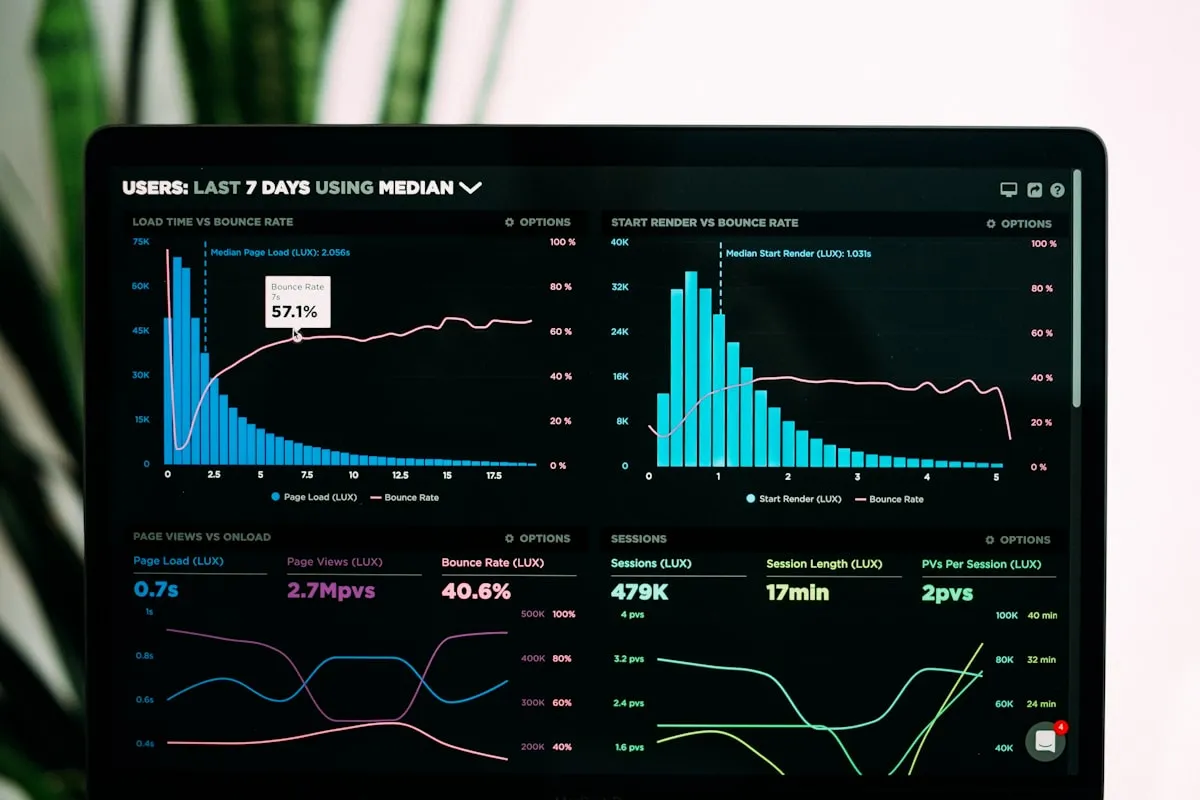
The technical side covers three things: can Google crawl your site efficiently, can it index your content correctly, and does your site meet the performance standards that affect rankings. Miss any one of these, and you are leaving traffic on the table.
Before you write a single line of code
The most expensive SEO mistakes happen before development starts. Decisions about URL structure, redirects, and information architecture have long-term consequences that are painful to fix later.
Redirect mapping
If you are replacing an existing site, every URL that receives traffic or has backlinks needs a 301 redirect to its new equivalent. Not a blanket redirect to the homepage. A page-by-page mapping. We export the full URL list from Google Search Console, match each old URL to its new counterpart, and implement the redirects before the new site goes live.
Skipping this step is how you lose years of accumulated authority overnight. We have seen it happen more times than we would like.
URL structure
Keep URLs short, descriptive, and consistent. Use hyphens, not underscores. Avoid parameters where possible. For multilingual sites, use locale prefixes: /cs/sluzby/ for Czech, /en/services/ for English. Decide this before building the routing — changing URL structure after launch means another round of redirects.
Sitemap planning
Your XML sitemap should be generated automatically from your actual routes, not maintained by hand. It should include hreflang annotations for multilingual pages, proper lastmod dates, and priority hints. If you are using a framework like Nuxt or Next.js, build the sitemap generator into the build process so it is always current.
The meta tag essentials
Every page on your site needs its own unique title tag and meta description. This sounds obvious, but we audit sites regularly where dozens of pages share the same title or have no description at all.
Title tags: Keep them under 60 characters. Front-load the important keywords. Make each one unique. A good pattern for service pages: "[Service] [Location] - [Brand]" — for example, "Web Development Prague - Kosmoweb". For blog posts, the article headline usually works well on its own.
Meta descriptions: Under 160 characters. These do not directly affect rankings, but they are your ad copy in search results. A compelling description increases click-through rate, which does affect rankings indirectly. Write them like you are convincing someone to click.
Open Graph tags: When someone shares your page on LinkedIn, Facebook, or Slack, OG tags control what they see. Set og:title, og:description, og:image, and og:type on every page. Twitter Card tags work similarly. Without these, shared links look broken and unprofessional.
Hreflang: If your site serves content in multiple languages, hreflang tags tell Google which version to show to which audience. Every page needs hreflang links pointing to all its language variants, plus an x-default for the fallback. Get this wrong and Google may show Czech content to English searchers or vice versa.
Structured data that actually matters
Structured data helps Google understand your content beyond just the text on the page. It uses a vocabulary called Schema.org, and you implement it as JSON-LD in your page's head. Not all schema types are equally useful. Here is what we prioritize.

Organization schema: Your company name, logo, contact information, social profiles. This feeds Google's Knowledge Panel and establishes your brand entity. Set it once in your layout and reference it across the site with an @id.
LocalBusiness: If you serve a specific area, add your address, opening hours, geo coordinates, and service area. This is critical for local search visibility.
BreadcrumbList: Helps Google understand your site hierarchy. Also enables breadcrumb display in search results, which improves click-through rates. Every page deeper than the homepage should have breadcrumb schema.
FAQPage: If your service pages or landing pages have FAQ sections, mark them up. Google can display these as expandable Q&A directly in search results, taking up more real estate on the results page.
Article: For blog posts, add the headline, author, publish date, and modified date. Use a Person type for the author with a reference back to your Organization. This supports E-E-A-T signals that Google uses to evaluate content quality.
Performance is SEO
Google has been explicit about this since 2021: page experience is a ranking factor. Core Web Vitals are not suggestions. They are measurements that affect where you appear in search results.
Largest Contentful Paint (LCP): How quickly the main content loads. Target under 2.5 seconds. The usual culprits are unoptimized hero images, render-blocking CSS, and slow server response times. Use responsive images with srcset, serve WebP or AVIF formats, and preload critical assets.
Interaction to Next Paint (INP): How responsive the page feels when users interact with it. Target under 200 milliseconds. Heavy JavaScript bundles and long-running scripts are the main offenders. Code-split aggressively, defer non-critical scripts, and avoid blocking the main thread.
Cumulative Layout Shift (CLS): How much the page jumps around while loading. Target under 0.1. Set explicit dimensions on images and embeds. Use font-display: swap with size-adjusted fallback fonts. Reserve space for dynamic content before it loads.
We build on Nuxt with static generation for most client projects specifically because it gives us control over all three metrics from the start. The framework pre-renders HTML, handles code splitting automatically, and supports image optimization out of the box. Starting with a performant foundation is easier than retrofitting performance onto a slow site.
The pre-launch checklist
This is what we go through before every deployment. Print it out, pin it to your wall, do not skip steps.

- robots.txt — Verify it allows crawling of all public pages. Remove any staging blocks. Consider adding explicit Allow directives for AI crawlers (GPTBot, ClaudeBot, PerplexityBot) if you want AI search visibility.
- XML sitemap — Generated, includes all public pages, submitted to Google Search Console.
- 301 redirects — Every old URL mapped to its new equivalent. Test them.
- Canonical tags — Every page points to its own canonical URL. No duplicates.
- Meta tags — Unique title and description on every page. OG tags set.
- Structured data — Organization, breadcrumbs, and page-specific schema validated with Google's Rich Results Test.
- SSL/HTTPS — Entire site served over HTTPS. No mixed content warnings.
- Mobile responsive — Tested on real devices, not just browser resize. Touch targets are large enough, text is readable without zooming.
- 404 page — Custom error page that helps users navigate back. Not a blank page or server default.
- Page speed — PageSpeed Insights mobile score above 80. All Core Web Vitals in green.
- Analytics — Google Analytics 4 and Search Console connected and verified.
- Hreflang — If multilingual, all language variants linked correctly with x-default.
After launch: the first 90 days
Launching is not the finish line. The first three months after deployment are when most recoverable problems surface.
Week 1: Submit your sitemap in Google Search Console. Request indexing for your most important pages. Monitor the Coverage report for crawl errors. Check that Google can render your pages correctly using the URL Inspection tool.
Weeks 2-4: Watch for 404 errors from old URLs you missed in your redirect mapping. Check the Core Web Vitals report for field data as real users start visiting. Fix any issues that appear in the Experience section.
Months 2-3: Track keyword positions for your target terms. If rankings dropped from the old site, investigate whether redirects are working correctly. Start building internal links between related content. Publish your first blog posts to signal freshness and topical authority.
Keep a spreadsheet of metrics from before the launch so you have a baseline. Organic traffic, keyword positions, Core Web Vitals scores, conversion rates. Without a baseline, you cannot measure whether the new site is performing better or worse.
What most agencies skip
We have taken over projects from other agencies more times than we can count. The same mistakes appear repeatedly.
No redirect plan. The most damaging and the most common. A site migration without redirects is like moving your shop to a new address and not telling anyone. Every link pointing to your old URLs becomes a dead end. Every page that ranked drops out of the index. Recovery takes months.
Staging robots.txt left in production. During development, it makes sense to block search engines from crawling your staging site. But if that Disallow: / directive ships to production, Google stops indexing your entire site. We have seen this happen to companies that did not notice for weeks.
Missing structured data. Most agencies treat structured data as optional or "nice to have." It is not. It is the difference between a plain text listing in search results and a rich result with ratings, FAQs, breadcrumbs, and pricing information. Rich results get significantly more clicks.
Ignoring Core Web Vitals until post-launch. Performance cannot be bolted on after the fact. If your site is built on a heavy page builder with unoptimized assets and twenty third-party scripts, no amount of tweaking will get your scores into the green. Performance decisions need to happen at the architecture level.
No hreflang on multilingual sites. A Czech company with a Czech and English site that does not implement hreflang is telling Google to figure it out on its own. Google will guess wrong. Czech users will see English pages in their search results. English users will see Czech. It creates a terrible user experience and wastes your ranking potential.
SEO is not a phase — it is a foundation
The companies that do well in organic search are not the ones that "do SEO" as a separate project after their site launches. They are the ones whose development process includes SEO from the beginning. URL structure, performance budgets, structured data, accessibility — these are architectural decisions, not marketing tasks.
If you are planning a new website or a redesign, make sure your development team can answer these questions before they start building. If they cannot, you are going to pay for it later — either in lost traffic, expensive fixes, or both.
At Kosmoweb, technical SEO is built into every project from the first sprint. Our web development process includes structured data, performance optimization, and search engine readiness as standard deliverables, not add-ons. If you want a site that looks great and actually gets found, let's talk.