


An e-commerce client came to us last year with a familiar problem. Their WordPress site ran WooCommerce, 47 active plugins, a page builder theme, and a handful of custom integrations held together with duct tape. Page loads averaged 6 seconds on mobile. The content team had a backlog of blog posts and product updates they couldn't publish because every change required a developer to touch the theme files. They were paying for a CMS and getting none of the content management part.
We rebuilt the frontend on Nuxt 3 and connected it to a headless CMS via API. Load time dropped to 1.2 seconds. The content team now publishes independently, on their own schedule, without opening a support ticket. The developers spend their time building features instead of fixing plugin conflicts. It took about ten weeks and it was worth every one of them.
What headless actually means
A traditional CMS like WordPress bundles two things together: the place where you manage content and the way that content gets displayed to visitors. Your theme is your frontend. Your admin panel is your backend. They're coupled, which means changing how something looks often means changing how something works, and vice versa.

A headless CMS strips away the frontend entirely. Content lives in a structured backend and gets delivered through an API (usually REST or GraphQL). The frontend is a separate application built with whatever framework fits the job: Nuxt, Next.js, Astro, SvelteKit. The two communicate through API calls, but they don't depend on each other's internals.
This separation means the content team works in an interface designed for content. The development team builds the frontend with tools designed for frontends. Neither group blocks the other. Content modeling becomes explicit rather than being dictated by whatever fields your WordPress theme happened to define.
Why WordPress sites hit a wall
WordPress powers roughly 40% of the web, and for good reason. It's flexible, well-documented, and has a plugin for nearly everything. But that flexibility creates specific patterns that cause problems at scale.
Plugin bloat is the most visible issue. Every plugin loads its own CSS and JavaScript, registers its own database queries, and adds its own hooks into the page lifecycle. We've audited WordPress sites where disabling plugins one by one shaved 4 seconds off the load time. The plugins weren't broken individually. They were just never designed to coexist with 40 others.
Theme lock-in is subtler but more expensive long-term. Page builder themes (Elementor, Divi, WPBakery) store content in proprietary shortcode formats. Moving to a different theme means rebuilding every page. Moving away from WordPress means extracting content from shortcodes that were never meant to be portable. We've quoted migration projects where 60% of the budget was content extraction alone.
Performance has a ceiling. WordPress generates HTML on every request unless you add caching. With caching, you can get decent speed, but you're still serving a monolithic PHP application that loads its entire plugin stack for every page. Object caching, page caching, CDN layering - these help, but they're workarounds for an architecture that wasn't designed for the performance expectations of 2026.
Security surface area grows with every plugin. Each one is a potential entry point. WordPress core gets patched regularly, but plugin maintenance varies wildly. We've cleaned up sites where a single outdated contact form plugin was the vector for a full compromise.
None of this means WordPress is bad. It's fine for a lot of sites. But if your content team can't publish without developer help, if your load times are above 3 seconds despite caching, if you're spending more time managing plugins than building your business, those are signals that the architecture is working against you.
The headless options worth considering
The headless CMS market has more options than anyone needs. Here are four we've worked with and can speak to honestly.
Strapi is open source and self-hosted. You control your data and your infrastructure. The content modeling is flexible, the admin panel is clean, and there's no per-seat pricing. The trade-off is that you're responsible for hosting, updates, and backups. Good fit for teams with some DevOps capability who want full control.
Contentful is cloud-hosted with a polished editorial interface. It handles localization well and has solid role-based permissions, which matters when multiple people publish content. The free tier is generous for small projects. Pricing scales with content entries and API calls, so costs can grow faster than expected on high-traffic sites.
Sanity stands out for its real-time collaborative editing and a completely customizable content studio built in React. The schema definition is code-based, which developers appreciate because it lives in version control alongside the frontend. The flexible query language (GROQ) takes some learning but gives you precise control over what data you fetch.
Storyblok has a visual editor that lets content teams see exactly how their changes will look on the live site. For teams where non-technical editors do most of the publishing, this is a significant advantage. It integrates well with Nuxt and Next.js. Pricing is per-seat, which keeps costs predictable.
| CMS | Hosting | Visual Editing | Pricing Model | Best For |
|---|---|---|---|---|
| Strapi | Self-hosted | No | Free (open source), paid cloud option | Teams wanting full control, dev-heavy orgs |
| Contentful | Cloud | Limited | Per entry + API calls | Multi-editor teams, localized content |
| Sanity | Cloud | Customizable | Usage-based | Complex content models, developer-driven projects |
| Storyblok | Cloud | Yes (built-in) | Per seat | Non-technical content teams, marketing sites |
This isn't exhaustive. Directus, Prismic, Hygraph, and others are solid too. The right choice depends on your team's technical comfort, your content workflow, and how much you want to manage yourself.
What the migration actually looks like
Migrating from a traditional CMS to a headless setup is real work. Anyone who tells you it's painless is selling something. Here's what the process looks like in practice.
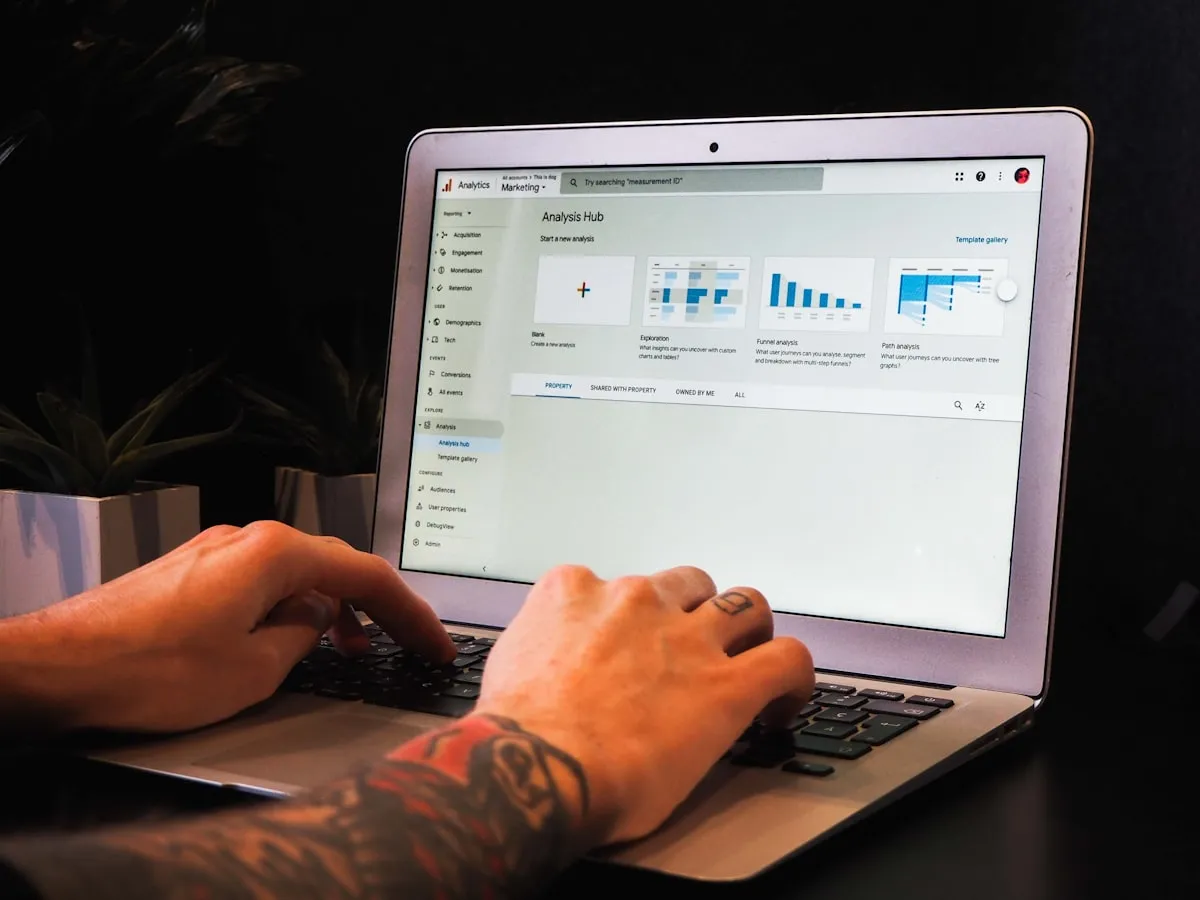
Content audit and modeling (1-2 weeks). Before touching any code, you map every content type in the existing site. Blog posts, product pages, team bios, FAQ entries, landing pages. For each one, you define a content model in the new CMS with explicit fields, validation rules, and relationships. This is where you fix the structural debt that accumulated in WordPress. That "content" field that was just a giant WYSIWYG blob? Now it's structured into components: hero sections, text blocks, image galleries, CTAs. This takes longer than people expect and it's the most valuable part of the process.
Content migration (1-2 weeks). Export from WordPress (WP CLI or the REST API), transform the data to match your new models, import into the headless CMS. Automated scripts handle 80% of it. The remaining 20% is manual cleanup: fixing broken formatting from shortcodes, re-uploading images that were stored in weird plugin-specific directories, mapping old categories to new taxonomies.
Frontend rebuild (3-5 weeks). This is where the real investment goes. The frontend gets built from scratch in Nuxt, Next.js, or whatever fits the project. Every page template, every component, every interaction. The upside is that you're building with modern tools and no legacy constraints. The downside is that it's a from-scratch build, not a port.
Redirects and SEO preservation (ongoing). Every old URL needs a 301 redirect to its new equivalent. Every page. Miss a few and you lose indexed pages, inbound links, and whatever authority those pages carried. We generate redirect maps from the old sitemap and verify them with automated crawls before and after launch. Canonical tags, structured data, and meta descriptions all need to transfer cleanly.
Testing and launch (1-2 weeks). Cross-browser testing, mobile testing, performance testing, content team training on the new CMS. Soft launch with monitoring, then full cutover.
Total timeline for a typical mid-size site: 8-12 weeks. Larger sites with complex integrations (payment gateways, ERP connections, membership systems) take longer.
When headless is overkill
Not every site needs this. A five-page brochure site for a local business does not benefit from a headless architecture. The complexity isn't justified. A personal blog with no custom frontend requirements works fine on WordPress with a good theme and managed hosting.
If you're a solo operator who publishes occasionally and doesn't need custom functionality beyond what plugins provide, WordPress with a quality host like Raidboxes or Kinsta and a caching setup is a perfectly good choice. The performance will be acceptable, the maintenance burden is manageable, and you don't need to hire a frontend developer.
Headless makes sense when content and presentation need to evolve independently, when multiple people publish and need a clean editorial workflow, when performance requirements exceed what a monolithic CMS can deliver, or when you need to serve the same content across multiple channels (website, mobile app, kiosk, email).
Don't rebuild what works. If your current site loads fast, your team can publish without friction, and your business needs are being met, a headless migration is a solution in search of a problem.
Performance and SEO after migration
The performance gains from a headless migration are real and measurable. That e-commerce client's jump from 6 seconds to 1.2 seconds wasn't unusual. When you replace a WordPress page builder with a Nuxt frontend, you're replacing a bloated DOM, dozens of render-blocking scripts, and server-generated HTML with a purpose-built application that serves exactly what's needed.
Core Web Vitals improvements we've measured across headless migration projects:
- LCP typically drops from 4-8 seconds to 1-2 seconds
- CLS goes to near zero because the frontend controls every layout element precisely
- INP improves dramatically because there's no plugin JavaScript fighting for the main thread
With Nuxt's hybrid rendering, you can choose SSR (server-side rendering) for pages that need fresh data and SSG (static site generation) for pages that rarely change. Blog posts and landing pages can be pre-rendered at build time and served from a CDN with sub-100ms response times. Product pages can be server-rendered with ISR (incremental static regeneration) so they stay current without rebuilding the entire site.
SEO preservation during migration is the part people underestimate. Google handles 301 redirects well, but there's always a temporary dip in traffic after a major URL structure change. We've seen this settle within 2-6 weeks on well-executed migrations. The key is comprehensive redirect coverage, consistent structured data, and an updated sitemap submitted to Search Console immediately after launch.
Structured data becomes easier to manage in a headless setup because you control the HTML output completely. In WordPress, structured data often comes from a plugin (Yoast, Rank Math) that generates it based on assumptions about your content. In a Nuxt frontend, you define the JSON-LD directly, tied to your actual content model. Product schema, article schema, FAQ schema - all generated programmatically from the CMS data, always accurate, always current.
The cost question
Honest numbers. A headless migration for a mid-size site (50-200 pages, blog, basic e-commerce or lead generation) costs roughly 150,000-400,000 CZK at Czech agency rates. That's more than a WordPress theme customization. The difference is in what you get long-term.

Upfront development cost is higher. There's no way around it. You're building a custom frontend and setting up a new content infrastructure. A WordPress theme install with plugin configuration might cost 50,000-100,000 CZK. A headless build with the same feature set starts at 2-3x that.
Ongoing maintenance cost is lower. No plugin updates breaking each other. No theme compatibility issues after WordPress core updates. No security patches for 47 different plugins. The CMS is managed (if you chose a cloud option) and the frontend is a static or server-rendered app with a much smaller attack surface. We've seen clients cut their monthly maintenance hours by 60-70% after migration.
Hosting costs can go either direction. WordPress on managed hosting runs 500-2,000 CZK/month. A Nuxt frontend on Vercel or Netlify can run on a free tier for small sites, or 500-1,500 CZK/month for larger ones. A self-hosted Strapi instance needs a VPS at 300-800 CZK/month. Cloud CMS pricing (Contentful, Sanity, Storyblok) varies widely by usage, from free tiers to several thousand CZK/month for active teams.
ROI makes sense when at least two of these are true: your current site's performance is costing you conversions, your content team's productivity is blocked by technical dependencies, your maintenance costs are high and rising, or you need to serve content across multiple platforms. If only one applies, a targeted fix (better hosting, fewer plugins, a simpler theme) might be the smarter move.
Moving forward
The shift toward headless isn't about chasing trends. It's a practical response to a real problem: traditional CMS architectures that were designed for 2010 don't always hold up under 2026 expectations for speed, editorial workflow, and multi-channel delivery.
If your site is slow, your content team is frustrated, and your developer is spending more time on plugin fires than product improvement, it's worth evaluating whether a headless approach solves the right problems. It won't fix bad content or a weak value proposition, but it will remove the technical friction that gets in the way of everything else.
We've done this migration for e-commerce sites, corporate sites, and content platforms. The process is predictable, the results are measurable, and the teams we've worked with don't go back. If you want to talk through whether it makes sense for your situation, our web development team can give you a straight assessment. And if you already have a site that needs ongoing technical attention, our project support service handles that too.