


A client called us about a corporate site that was taking over 15 seconds to load. The sales team couldn't explain the drop in form submissions - the site looked fine, the content hadn't changed. We ran a performance audit and found 12 separate issues, including 120,000 spam comments sitting in the database, consuming server resources on every page load. Two weeks later, the site loaded in 1.8 seconds. Form submissions went up 4x. Bounce rate dropped 65%. Nothing about the design changed. Just the performance.
That kind of result sounds dramatic, but the pattern is common. Slow websites are invisible to the people who own them and immediately obvious to everyone who visits. Since May 2021, Google has been measuring this directly as ranking signals called Core Web Vitals.
What Core Web Vitals actually measure
Google designed three metrics to capture the parts of page experience that users feel directly:

- LCP (Largest Contentful Paint) - how long it takes for the main content to appear on screen
- INP (Interaction to Next Paint) - how fast the page responds when a user clicks or taps
- CLS (Cumulative Layout Shift) - how much the layout jumps around while the page loads
These are not arbitrary benchmarks. They were chosen because they correlate with what users actually do: pages that pass all three have lower bounce rates, higher engagement, and better conversion rates. Google confirmed them as ranking signals in 2021 and has updated the set since - most notably replacing FID with INP in March 2024.
| Metric | Good | Needs improvement | Poor |
|---|---|---|---|
| LCP | Under 2.5s | 2.5–4.0s | Over 4.0s |
| INP | Under 200ms | 200–500ms | Over 500ms |
| CLS | Under 0.1 | 0.1–0.25 | Over 0.25 |
Most WordPress sites we audit fail at least one. Usually LCP.
LCP: where most sites fail first
LCP is the time until the largest visible element on the page has loaded - usually the hero image or a large heading block. Users are staring at an incomplete page until LCP finishes. Once it takes longer than 2.5 seconds, roughly 40% of mobile visitors leave before it does.
The most common LCP problems we find:
- Unoptimized images - a 3MB JPEG doing a job a 200KB WebP could handle
- Render-blocking JavaScript that delays the entire page
- Slow server response times from cheap shared hosting
- No caching setup
Fixing LCP on a typical WordPress site means converting images to WebP, configuring caching properly, deferring JavaScript that isn't needed on first load, and sometimes moving to a server with a better baseline response time. On a well-maintained site this takes a few hours. On a neglected one, more - but still days, not months.
INP: the metric most site owners haven't heard of
Google replaced FID with INP in March 2024. Most site owners missed the change.
INP measures the worst interaction across an entire page session - not just the first click, but every tap, click, or keyboard input throughout the visit. If a user clicks a button and waits 600 milliseconds before anything responds, that gets recorded. If it happens to enough visitors, the score suffers.
The main cause is JavaScript blocking the main thread - the browser's queue for processing user input. For WordPress sites, this usually traces back to too many plugins loading too much JavaScript, all competing for the same resource at the same time.
INP matters most for:
- E-commerce pages with product filters, add-to-cart buttons, and checkout flows
- Any page with interactive elements users depend on to complete a task
- Web applications and dashboards
A slow INP feels like a laggy app. Users tolerate it for a few seconds, then leave - often without understanding why the page felt frustrating to use.
CLS: why pages that jump lose customers
CLS measures visual instability. If you've started reading an article and an ad appeared above it, pushing everything down - that's a CLS event. If you've tapped a button and hit the wrong thing because the layout shifted just as your finger arrived - that's CLS too.

A score above 0.1 means users are regularly hitting layout jumps. Above 0.25, they're significant and frequent.
The typical causes:
- Images without explicit width and height attributes - the browser doesn't reserve space until the image loads
- Ads or embedded widgets that inject themselves after the initial render
- Web fonts that cause text to reflow when they finish loading
The fix for images is one of the rare cases where a small change has immediate, measurable impact: always set width and height on image elements. The browser reserves the correct space before the image downloads, and the layout stays put.
How to check your own site right now
You don't need a developer to get your Core Web Vitals data.
Google PageSpeed Insights (pagespeed.web.dev) - paste your URL and run the test. You'll get both a lab score (simulated) and, when available, field data collected from real Chrome users visiting your site. Field data is more reliable. Lab scores help identify specific issues but don't always match what real visitors experience.
Google Search Console - if your site is verified, the Core Web Vitals report shows which URLs are failing and what's causing it. This is aggregated data from actual users, not estimates. It's the most accurate view of how your site performs in practice.
A site can score well in lab conditions and still fail in the field because of third-party scripts, A/B testing tools, or chat widgets that the lab test doesn't load. Always look at field data first.
The most common patterns on Czech SME sites
After auditing dozens of WordPress sites for Czech businesses, the same issues come up repeatedly:
- Unoptimized images cause 60–70% of LCP failures
- Overloaded plugin stacks - sometimes 40+ active plugins - drive most INP problems
- Missing image dimensions are behind most CLS failures
- Cheap shared hosting creates slow server response times that make every other metric harder to fix
Most of these are fixable without rebuilding the site. A focused audit typically identifies 5–10 actionable issues. Fixing the top three usually produces the biggest visible improvement.
The 120,000 spam comments from that opening story? They had been accumulating for years, never cleaned up. Every page load triggered database queries scanning through thousands of rows of garbage before reaching anything useful. Clearing them out took an afternoon and cut server response time by more than half on its own.
What slow pages actually cost
Google's own research found that a 1-second improvement in mobile load time increases conversions by an average of 8%. For a site generating 100 leads per month, that's 8 extra leads from a performance fix alone - no new content, no ad spend, no redesign.
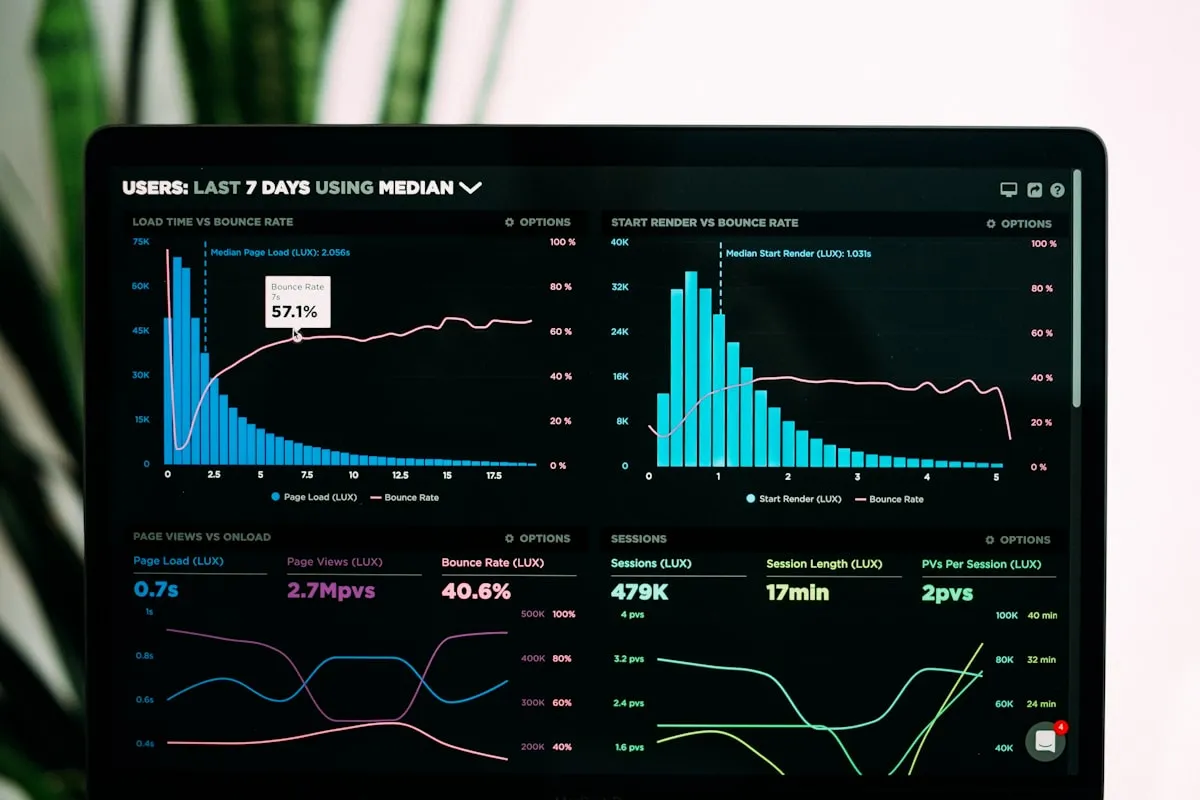
On the ranking side: two otherwise similar pages will rank differently based on their Core Web Vitals scores. If your site fails LCP while a competitor's passes, that's a structural disadvantage in organic search that content quality alone cannot fully compensate for.
The 4x form submission increase we saw after fixing that 15-second site is an extreme case. But the direction is consistent across every performance project we've done: people who hit a slow page don't wait. They leave, and they don't come back.
When to fix it yourself and when to ask for help
If PageSpeed Insights shows above 70 on mobile and your field data shows green for all three metrics, you're fine. Monitor occasionally and address issues as they appear.
If you're failing one or more metrics and don't have a developer available, the highest-impact things to try first:
- Compress images and convert JPEGs to WebP
- Install a caching plugin if you don't have one (WP Rocket and LiteSpeed Cache are reliable starting points)
- Add explicit
widthandheightto images in your theme and templates - Deactivate plugins you're not actively using
If you've tried the basics and are still failing, or if the site is slow enough to be losing you leads, it's worth a proper audit. The problems are almost always fixable. The challenge is identifying the right ones in the right order - a guess-and-check approach tends to miss the actual cause and sometimes makes things worse.
At Kosmoweb, performance audits are part of our support service. An audit identifies the highest-impact issues and we fix them - typically within 1–2 weeks, no rebuild required.
Performance in 2026
Core Web Vitals are one ranking factor among many. Content quality and earned links still matter more in most situations. But performance is the factor you have direct, fast control over. Building domain authority takes years. Fixing a caching configuration takes an afternoon.
Sites that rank consistently well in Czech search results tend to share three things: relevant content, some earned links, and pages that load fast and respond quickly. You can't skip any of them. Performance is the one you can improve the fastest - and the one most Czech SME sites have the most room to improve.
If your site has decent content and some history but rankings have stalled or declined, technical performance is one of the first places to look. It's one of the few things in SEO you can measure, fix, and verify in a matter of days.